The software, screen by screen.

What your team opens every morning, on the office computer and on the phone. The images use sample data and show the interface in French.

All in one place.

Pick a screen to see it full size, or scroll down to see them one by one.

01

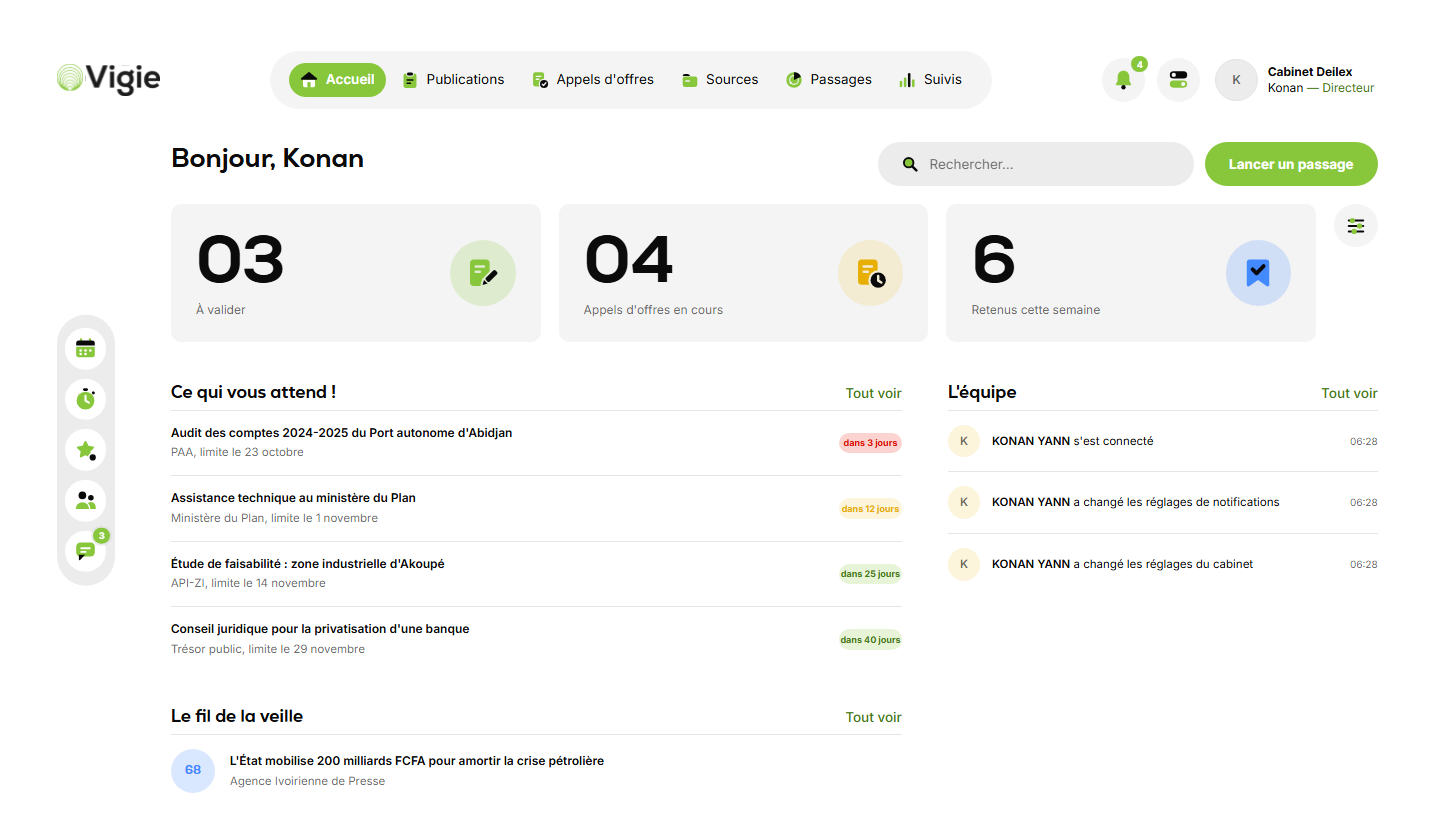
The morning digest

At the time you choose, Vigie has read your sources and sorted them. The home screen shows what's waiting.

  • To approve, at a glance
  • Open tenders
  • What the team did yesterday
The morning digest, in Vigie (sample data, interface in French)
02

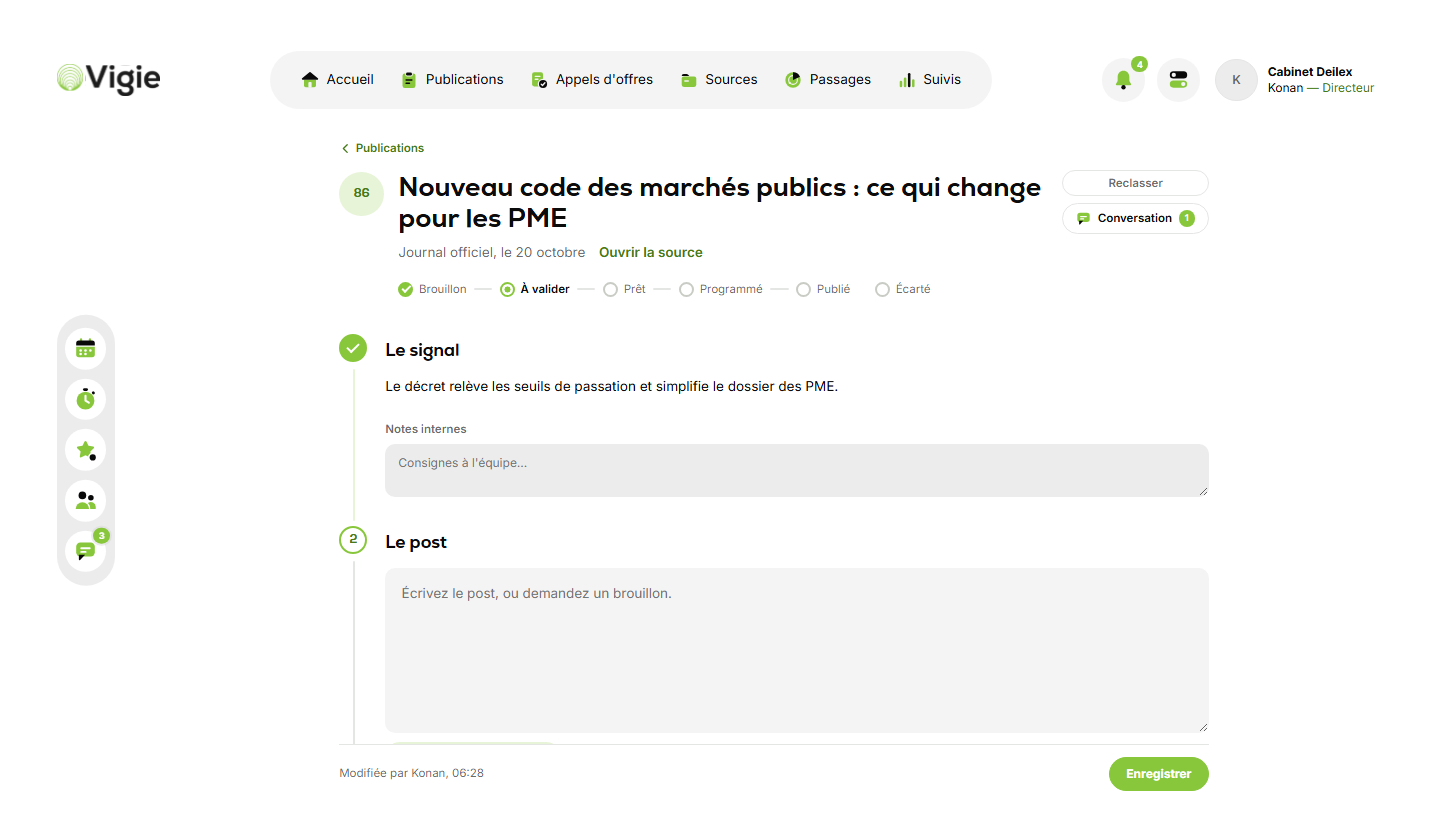
One card per signal

The title, the source, a score out of 100 and a summary. Your team writes the post there and discusses it.

  • Draft suggested by Vigie
  • One version per network
  • Team conversation
One card per signal, in Vigie (sample data, interface in French)
03

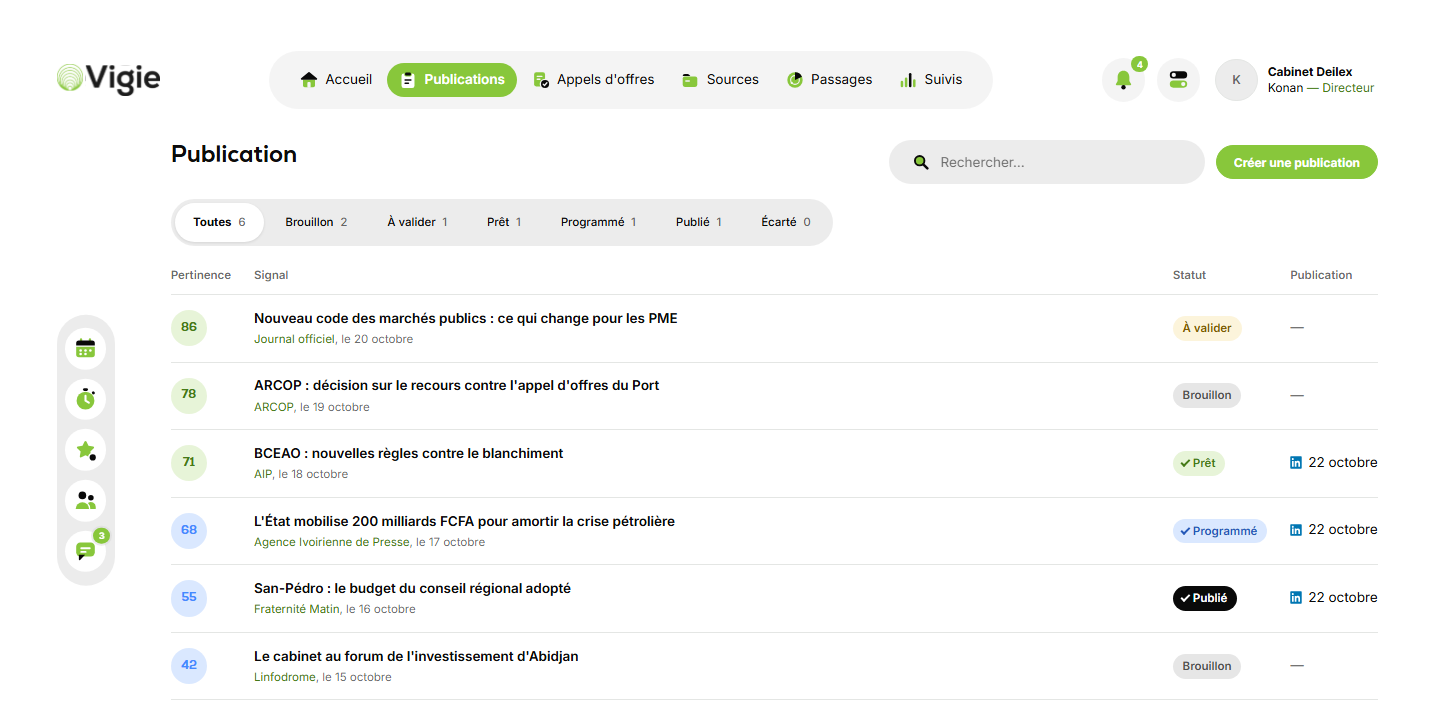
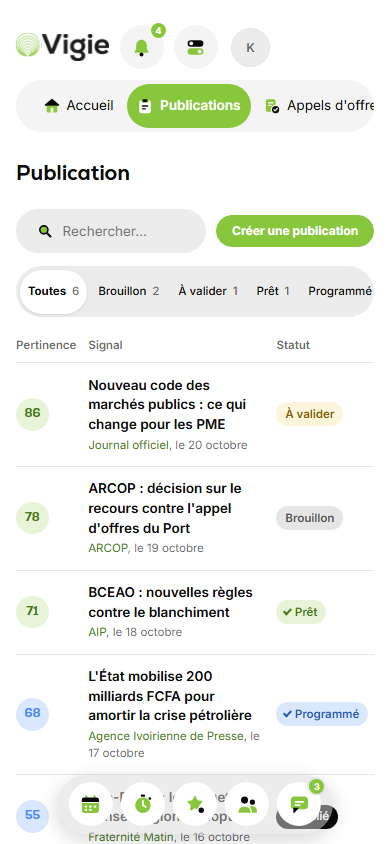
Publications

Every card, from draft to published. You see what is waiting for your approval.

  • Filter by status
  • One-click approval
  • Share to your networks
Publications, in Vigie (sample data, interface in French)
04

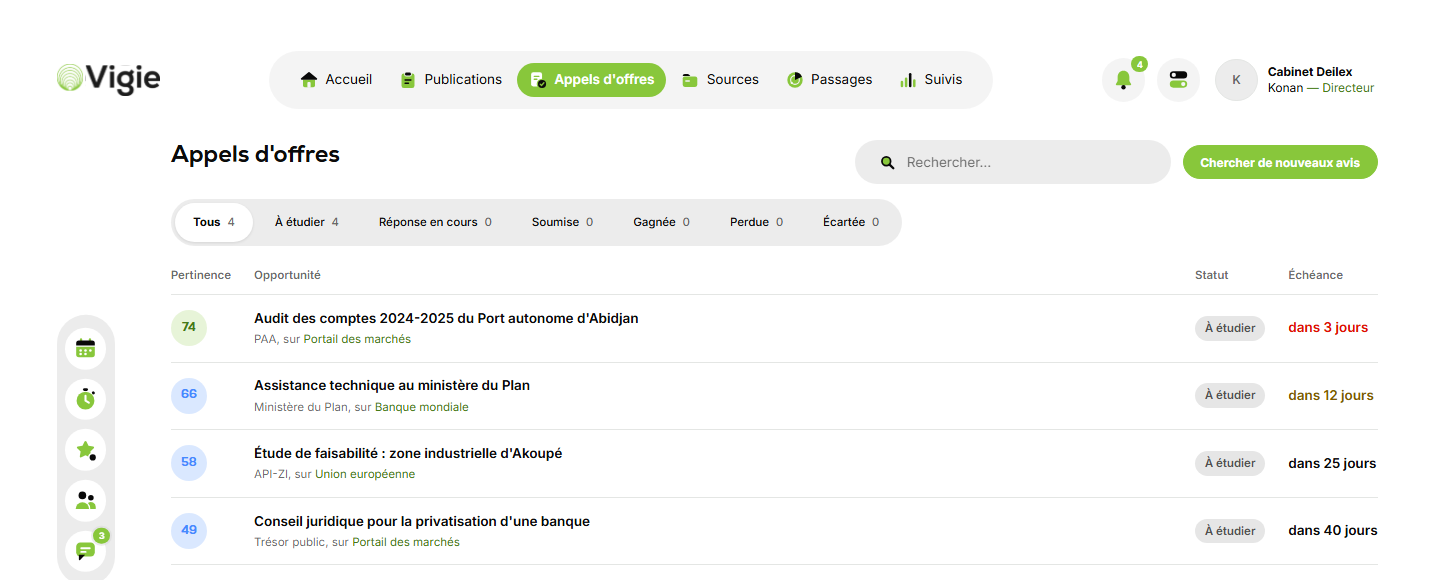
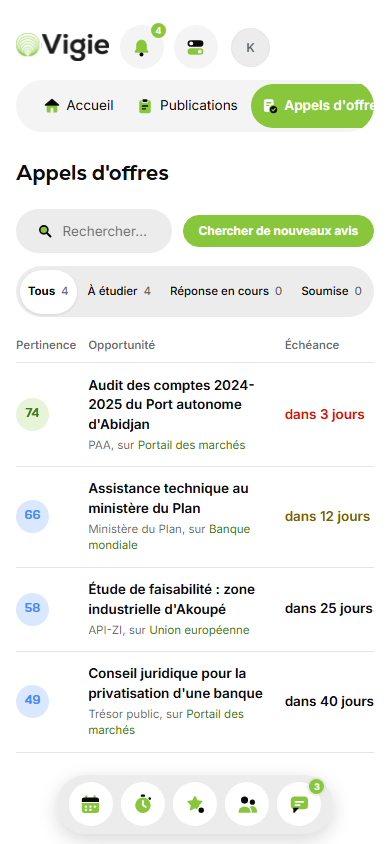
Tenders

Public procurement and donor notices in your field, with their deadline.

  • Public procurement portal
  • World Bank, European Union
  • Track every bid
Tenders, in Vigie (sample data, interface in French)
05

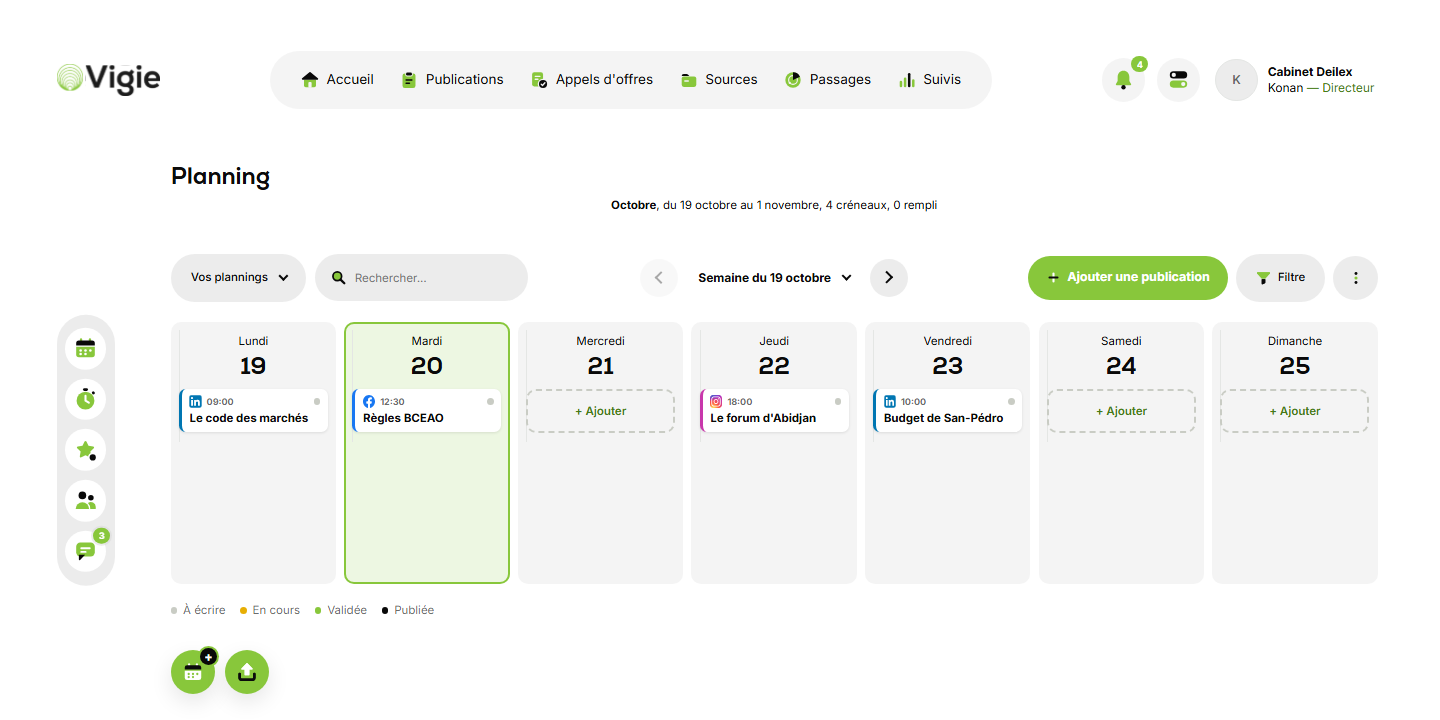
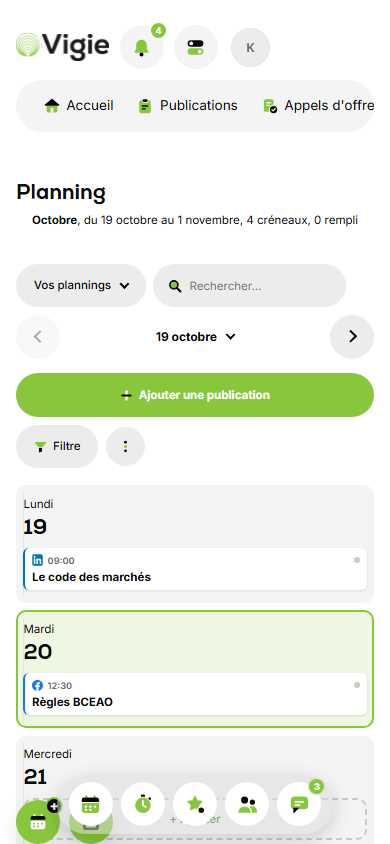
The planner

The week in seven columns, one card per post, with its time and network.

  • Add in one click
  • Filter by network
  • Print to PDF
The planner, in Vigie (sample data, interface in French)
06

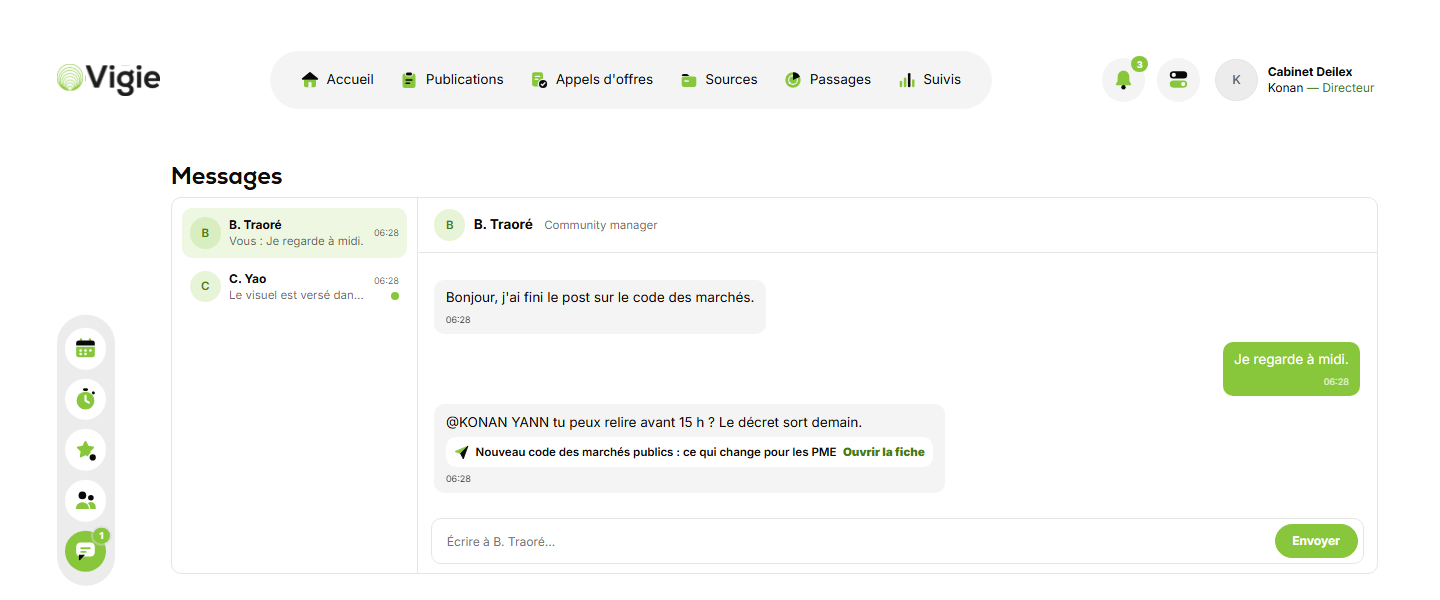
Messages

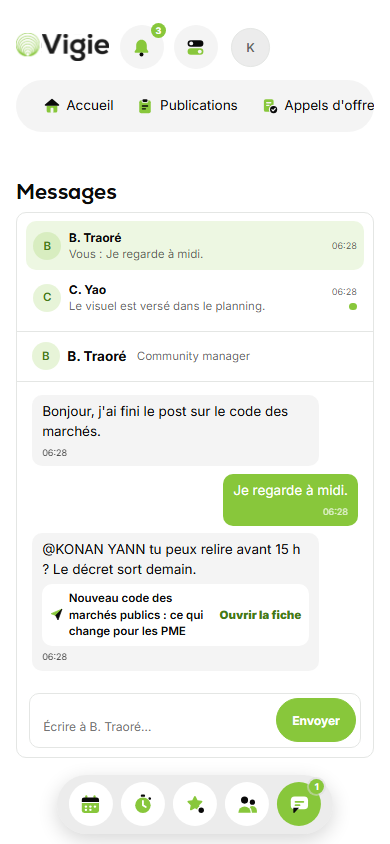
One conversation per teammate. Mentions made on a card show up there too.

  • On your phone as at the office
  • Mentions link to the card
  • Everyone reads only their own messages
Messages, in Vigie (sample data, interface in French)

01 / 06

The morning digest

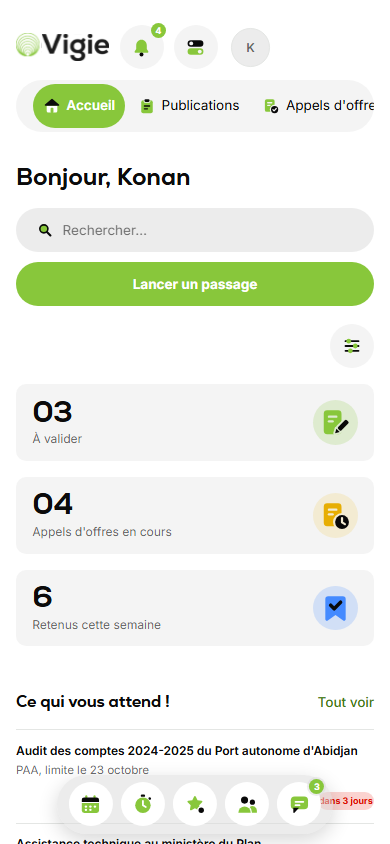
At the time you choose, Vigie has read your sources and sorted them. The home screen shows what's waiting.

  • To approve, open tenders, this week's picks
  • What the team has done
  • The monitoring feed
The morning digest on desktop (sample data, interface in French) The morning digest on mobile (sample data, interface in French)

02 / 06

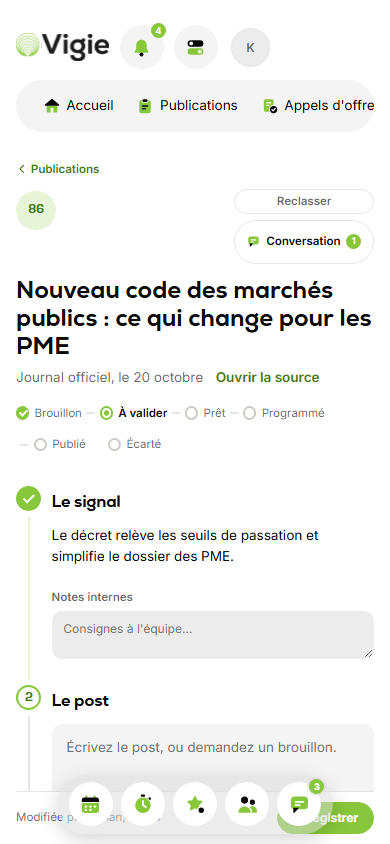
One card per signal

The title, the source, a score out of 100, a summary. Your team writes the post there and adapts it per network.

  • Draft suggested by Vigie
  • Status shown step by step
  • Team conversation, with @mentions
One card per signal on desktop (sample data, interface in French) One card per signal on mobile (sample data, interface in French)

03 / 06

Publications

Every card, from draft to published, filtered by status.

  • What is waiting for your approval
  • What is scheduled
  • What is published
Publications on desktop (sample data, interface in French) Publications on mobile (sample data, interface in French)

04 / 06

Tenders

Public procurement and donor notices in your field, with their deadline.

  • Procurement portal, World Bank, European Union
  • Colour-coded deadlines
  • Tracking: to review, submitted, won
Tenders on desktop (sample data, interface in French) Tenders on mobile (sample data, interface in French)

05 / 06

The planner

The week in seven columns: one card per post, with its time and network.

  • Add a post on a given day
  • Filter by network or by person
  • Print or save as PDF
The planner on desktop (sample data, interface in French) The planner on mobile (sample data, interface in French)

06 / 06

Messages

One conversation per teammate. Mentions made on a card show up there too.

  • Send and receive inside Vigie
  • Direct link to the card
  • Everyone reads only their own conversations
Messages on desktop (sample data, interface in French) Messages on mobile (sample data, interface in French)

Ready to see it all?

Thirty minutes, on your own sources. You see what Vigie would have found for your firm this morning.